
Sales Navigator Mobile Learning
An adaptive in-product learning sytsem that tailors the user experience according to individual engagement levels.
Problem
- The Sales Navigator Learning Center lacks mobile optimization
- Learning resources are not designed for mobile-friendly use
- No accessible learning entry points within the mobile app
- Low user adoption on the mobile platform
- Frequent releases of new mobile features
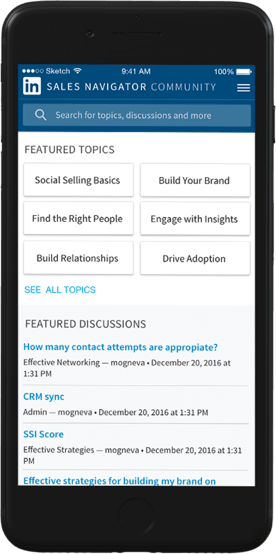
What’s been done before?
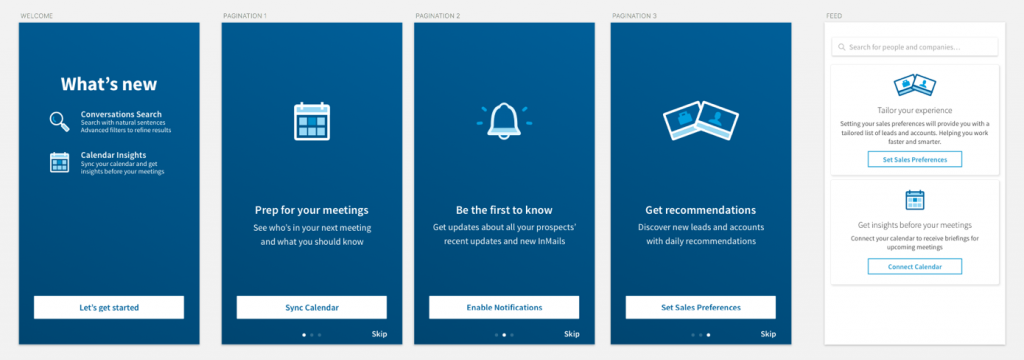
- Modal screen “What’s New” showcasing new features
- The team provided links to Help articles
- Links to Learning Center content – Tip Sheets
Challenges
- Optimizing various learning experiences for mobile
- Determining the right moments to intensify or reduce learning engagement
- Avoiding overwhelming the user with excessive content
Discovery
Our team conducted interviews and gathered data from various teams working on the Sales Navigator product. We analyzed the different onboarding approaches used by Customer Success Managers, as well as insights from the data and operations teams. From this, we identified that customers who achieve a ‘healthy’ status within the first 60 days are more likely to succeed and retain a higher rate of weekly active users.
Personas
Shad
Sales Technology / Program Manager
Part of the Sales Ops / Sales Enablement team. Not a current sales practitioner but may have past experience. Typically the primary admin managing sales tools.
Biggest Challenges:
Managing licenses, tool complexity, and adoption. Reaching Healthy status within 60 days. Demonstrating value and scaling tool usage across mobile platforms.
Motivators:
Program success, internal recognition, and mobile-friendly solutions for team accessibility.
Mobile Learning Needs:
Access to quick, actionable lessons on sales tools. Learning on the go with peer-driven tips, strategies, and insights to improve tool management and adoption.
Behavioral Change Needed:
Embrace mobile learning to stay updated on tools and foster peer collaboration.
Misha
Social Selling Expert
SSI 75+, a champion of social selling who may or may not hold an admin or program manager role.
Biggest Challenge:
Often isolated in organizations where social selling isn’t widely embraced. When interest exists, time constraints limit her involvement, as some experts dedicate only 10% of their role to social selling. Misha needs scalable mobile solutions to efficiently manage and apply her expertise.
Motivators:
Recognition, exclusivity, influence, and opportunities for public exposure (speaking, writing). Values direct access to products and feedback opportunities.
Mobile Learning Needs:
A platform for quick access to skills enhancement, insights, and community engagement to grow her following.
Behavioral Change Needed:
Shift from hoarding expertise to actively sharing insights within the mobile community platform.
Abednego
SMB Admin / PM / Sales Leader
Often the sole person managing the entire sales tool chain, typically acting as the primary admin independently.
Biggest Challenges:
Limited resources, demonstrating value, feeling isolated, managing tool proliferation, and working within tight budgets.
Motivators:
Program success, internal recognition, and potential for promotion.
Mobile Learning Needs:
Access to on-the-go strategies, tips, and frameworks from peers and experts, enabling effective tool management and adoption.
Behavioral Change Needed:
Engage with peers, share successes, and prioritize mobile training opportunities for the team.
Learning Ecosystem
We designed an intermittent, modular learning system to be implemented at different stages within the first 60 days. This approach not only provides educutional resources for new users but also reinforces continuos learnin, enhancing user engagement over time.

Ecosystem + Features
There are three distinct feature types that will require targeted coaching at various stages of the user journey. Each feature was strategically mapped within the learning ecosystem to ensure educational support is provided at every relevant stage.
- Essential features
- New/Revamped Features
- Update Features
Essential Feature
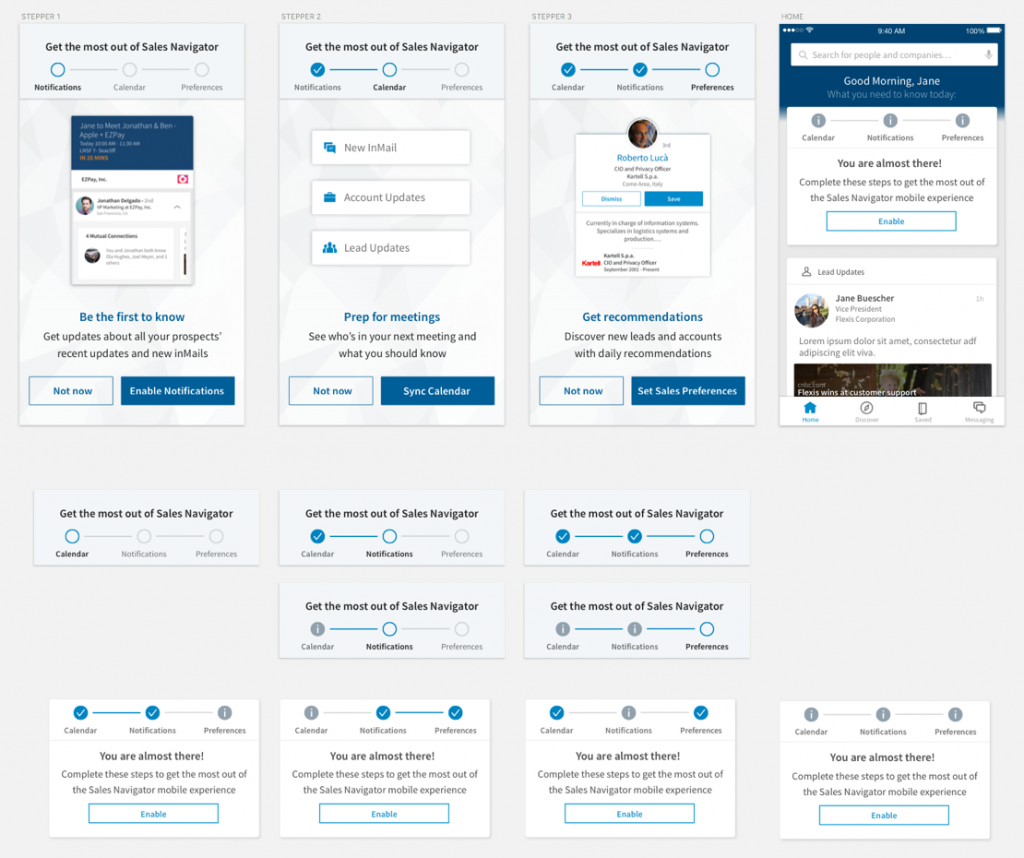
A core feature requires users to enable app synchronization with native calendar applications and grant permission for system push notifications.
Value: Unlock the full functionality of the new briefings feature and stay up-to-date through timely notifications.

New/Revamped Feature
A significant new or updated feature that does not require user activation.
Value: Ensures users quickly adapt to the new features, boosting engagement and functionality.

Update Feature
A minor bug fix or enhancement.
Value: Reinforces improvements and optimizes app performance.

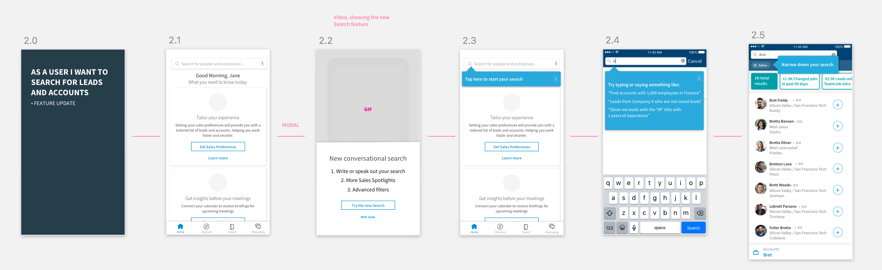
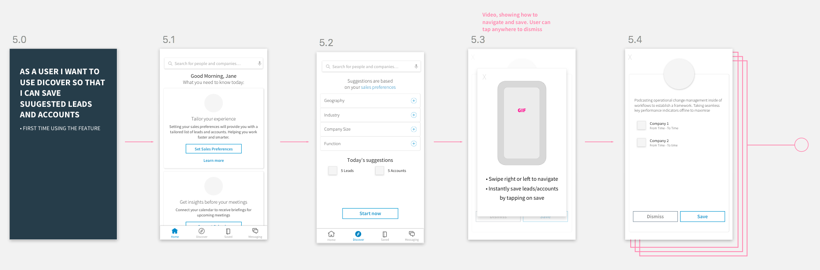
User Flows
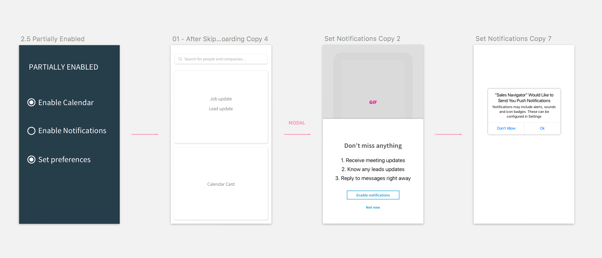
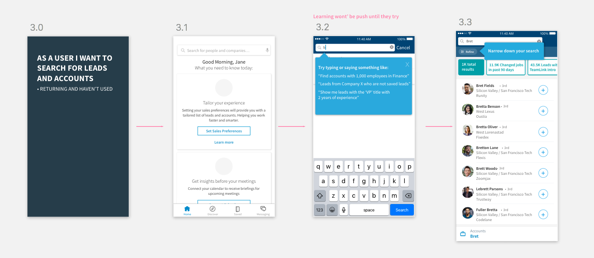
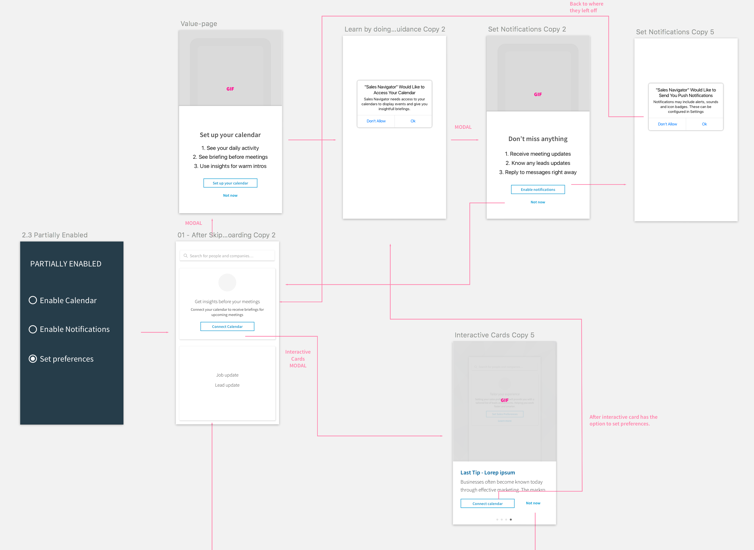
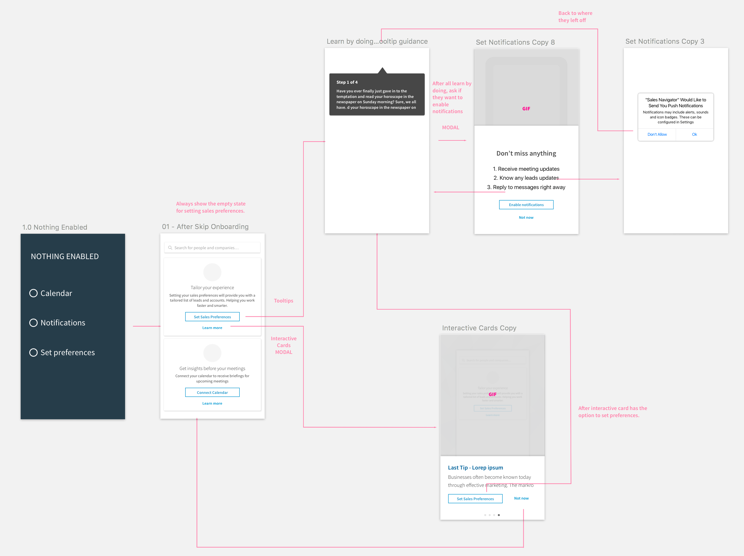
We mapped out all possible combinations and their corresponding user flows.
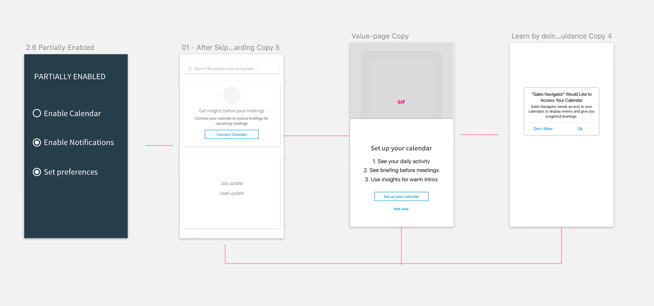
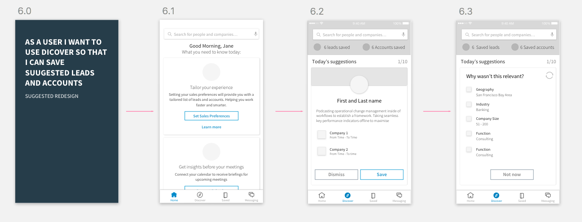
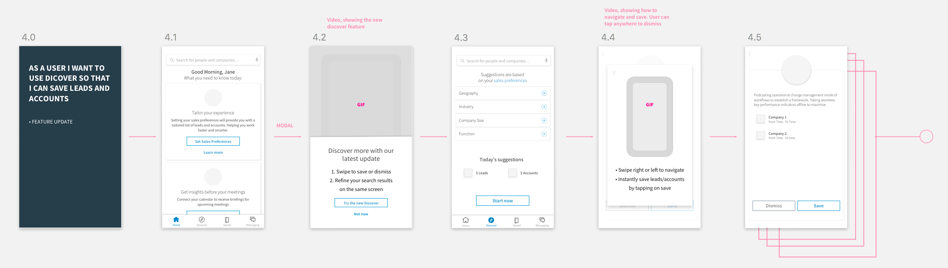
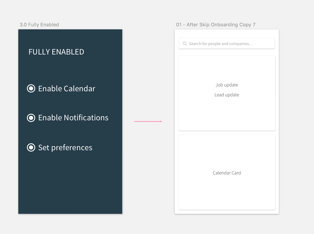
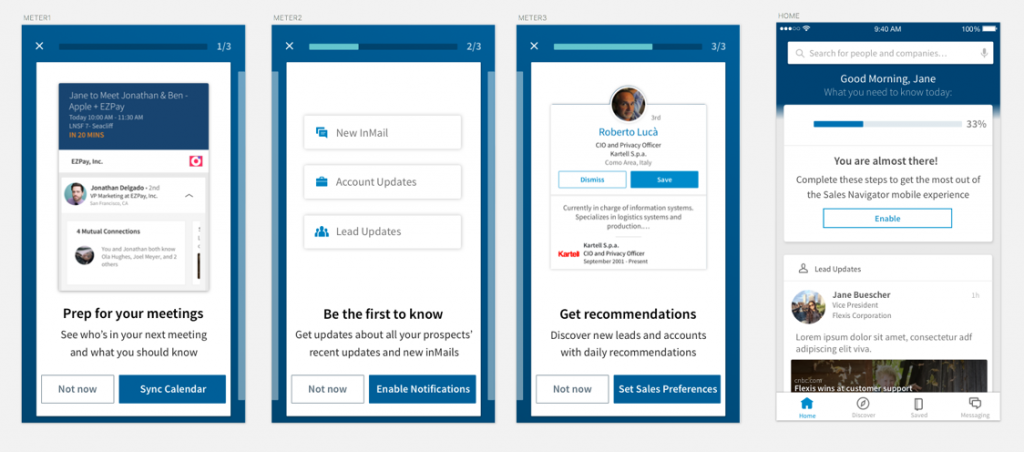
Meters / Empty State Cards
Explorations of various onboarding paradigms for first-time users to ensure all necessary actions are enabled for optimal functionality.
MVP Solution
Using our internal web application platform, our team transitioned all PDF tipsheets to HTML for better accessibility and efficiency. I coded and customized templates to streamline the process. For the mobile app, we leveraged logic from the learning ecosystem to create entry points in various sections, allowing users to launch instructional content via UIWebView, providing quick access to HTML-based educational resources.
